View Claim Rejection Reasons
Last updated: February 3, 2026
Osmind displays detailed claim rejection and denial reasons for customers using our Claim.MD integration, helping you take faster, informed action.
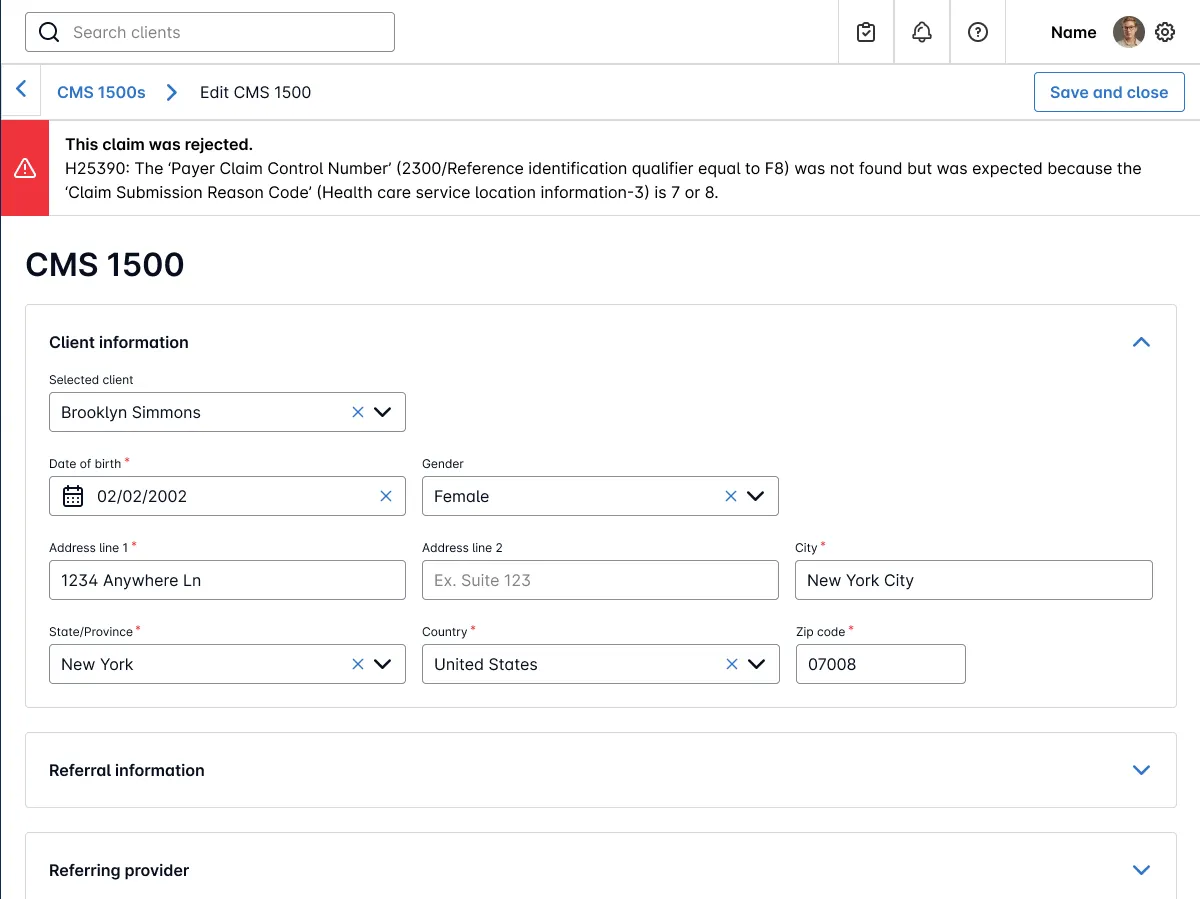
Real-time claim status updates — See clear statuses like “Rejected by Clearinghouse” or “Denied by Insurance” right within your CMS 1500 claim view.
Understand why a claim was rejected — Click into any rejected claim to view remark codes and payer messages (e.g., OA 109 - “not covered by payer”), giving you full visibility into what needs to be corrected.
Quickly make corrections and resubmit — With greater clarity on rejection reasons, you can correct and resubmit claims faster, minimizing delays in reimbursement.
To view a rejection reason:
Locate Claim > [...] > Edit
The error message will display in a banner located at the top of the claim.