Using Dashboards in Visualize by Osmind
Last updated: March 2, 2026
Dashboards are part of the Visualize tab in Osmind, your central hub for reporting and insights. Visualize includes both downloadable reports and, in some cases, interactive dashboards that let you explore data right in the platform.
Currently, there are only a few fully visual dashboard available. Other sections within Visualize — like Cancellations and Authorization — allow you to filter data and download reports as CSVs, but do not yet include on-screen visualizations.
IN THIS ARTICLE:
Appointments Dashboard and Report
Provider Utilization Dashboard and Report
Payment Dashboard and Report
Appointments Dashboard and Report
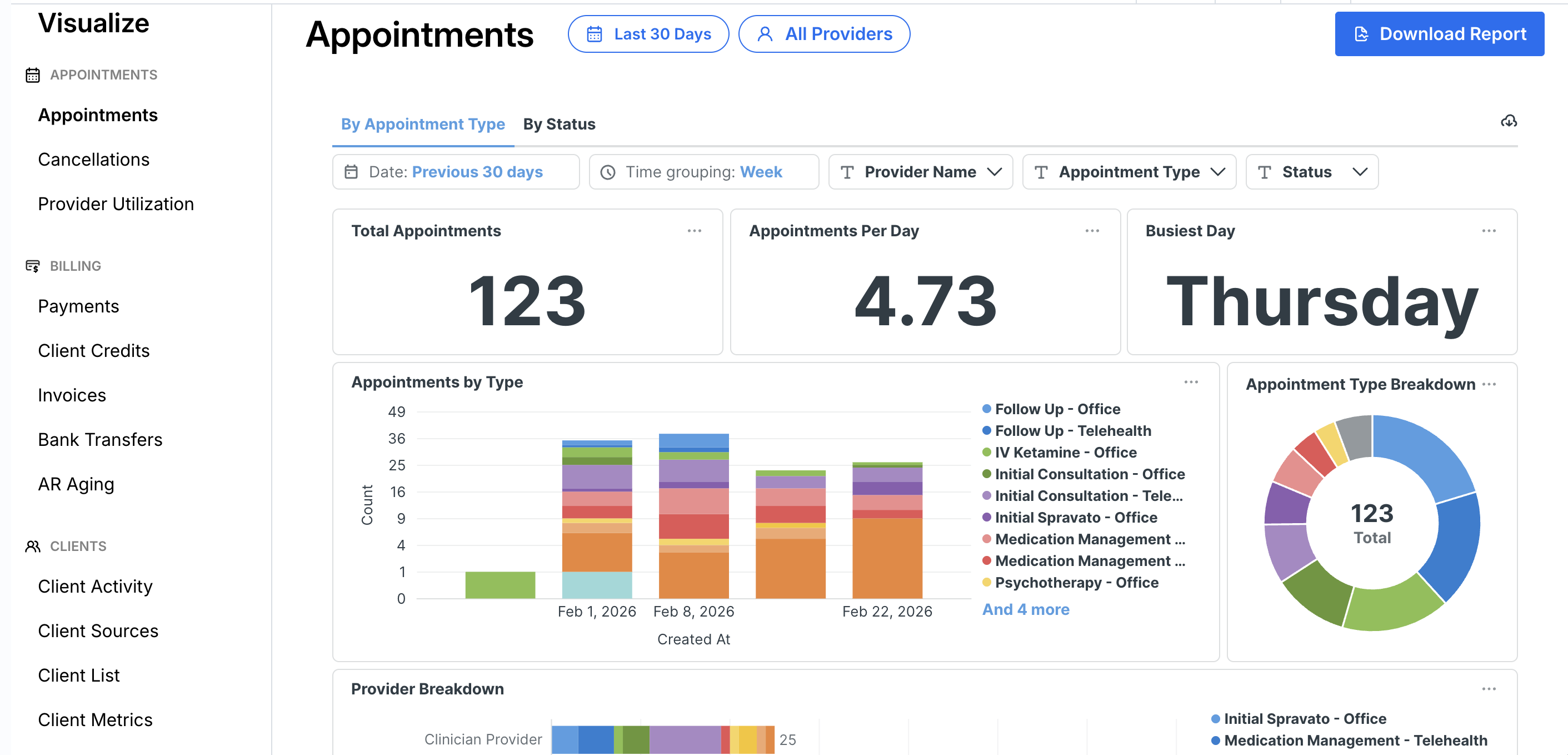
The Appointments Dashboard gives you a visual overview of appointment activity across your organization. It pulls from the same data as the downloadable Appointments Report and helps you identify trends at a glance.
Get a deep dive of the Appointments Dashboard and Report here.
Provider Utilization Dashboard and Report (Coming soon)
The Provider Utilization Dashboard enables you to track and analyze how efficiently your providers are using available time. You can download the report as a CSV file for further analyses.
Click here to learn more about the Provider Utilization Dashboard and Report.
Payments Dashboard and Report
The Payments Dashboard gives you instant access to comprehensive payment data. This tool empowers finance teams to explore, filter and analyze payment information.
Click here to learn more about the Payments Dashboard and Report.
Want more flexibility? Visualize+ is coming soon
For teams that want to build their own dashboards, apply custom filters, and track more advanced metrics, Osmind is launching Visualize+ — a no-code tool that allows you to create customizable dashboards directly in the platform.